
Networks and Subnets
Use Networks and Subnets to model your network layout in meltcloud.
Your network team designs the actual segments and configures the network fabric; you model Networks and Subnets in meltcloud, so Machines that are assigned to Subnets (using Network Profiles) configure their interfaces according to the Subnet's settings.
A Network is one logical network, such as a VPC or a VRF. Examples: prod, staging, management, storage.
A Subnet is one segment of a Network. For example, prod-az1, prod-az2 etc. It defines how Machines get an address on it (DHCP or IPAM) and further network configuration (DNS servers, NTP servers, MTU, routes, ...)
Common layouts
In the wild, data center networks usually fall into one of the following categories. Which one you have is usually decided by your network team, long before Kubernetes arrives, so the job here is to recognize yours and model it using Networks and Subnets.
Stretched L2
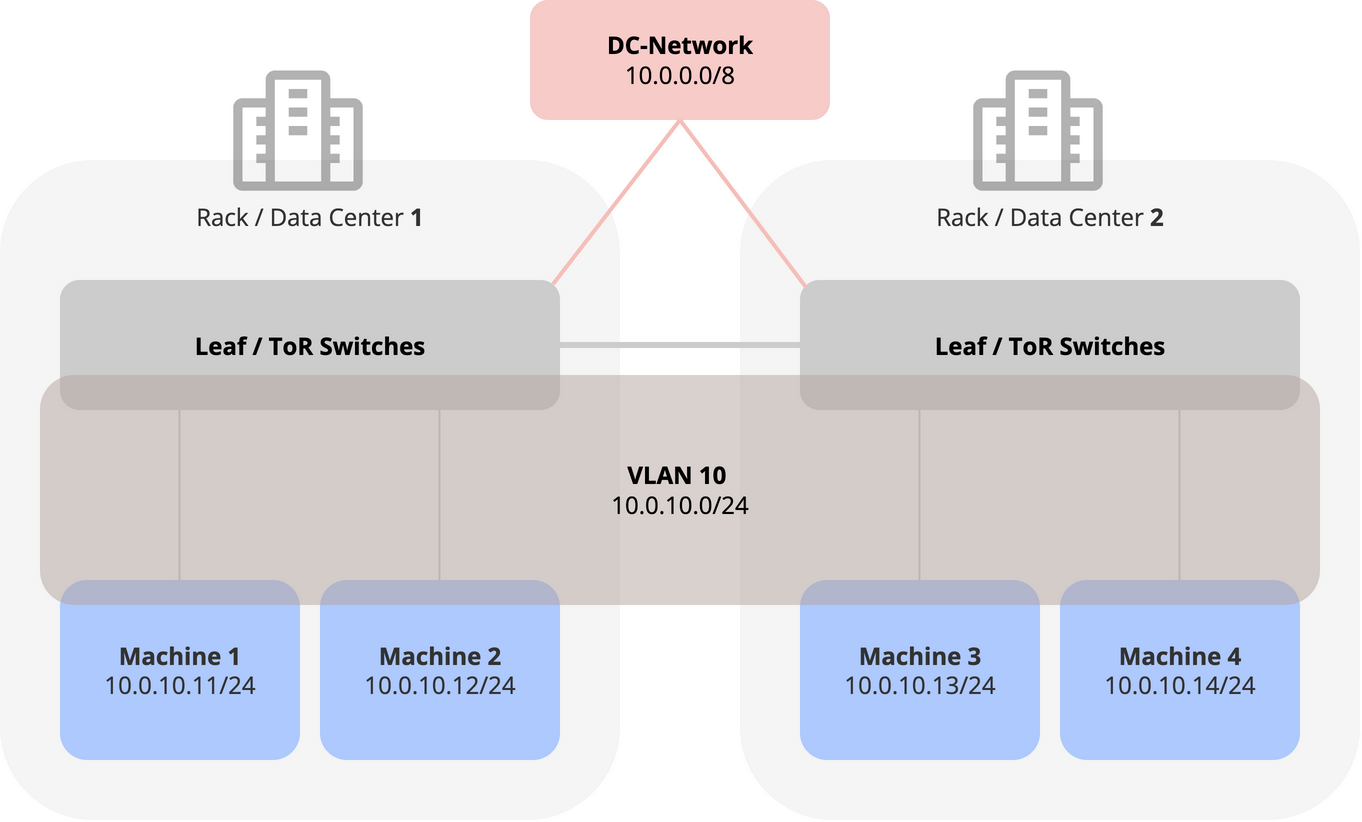
This is mostly found in traditional Virtualization-heavy data centers, where L2 needs to span sites, since VMs can be moved between them.
Because both sites shared the same networking settings, you can use a single Network and Subnet for Machines in both sites:
| Network | Subnet | CIDR | VLAN | Network Profile | Machines |
|---|---|---|---|---|---|
wl-prd | wl-prd | 10.0.10.0/24 | 10 | prd | machine-prd-az1machine-prd-az2 |
If your layout requires multiple Networks, you can of course create further Networks:
Example: Workload and storage networks
| Network | Subnet | CIDR | VLAN | Network Profile | Machines |
|---|---|---|---|---|---|
workload | workload | 10.0.10.0/24 | 10 | prd | machine-prd-az1machine-prd-az2 |
storage | storage | 10.0.20.0/24 | 20 | prd | machine-prd-az1machine-prd-az2 |
Example: Production and staging networks
| Network | Subnet | CIDR | VLAN | Network Profile | Machines |
|---|---|---|---|---|---|
prd | prd | 10.0.10.0/24 | 10 | prd | machine-prd-az1machine-prd-az2 |
stg | stg | 10.0.30.0/24 | 30 | stg | machine-stg-az1machine-stg-az2 |
The common attribute of this layout is that Machines on both sites use the same network configuration, so they can use the same single Network Profile, Subnet and Networks.
As Terraform: stretched L2.
Subnet per rack or zone
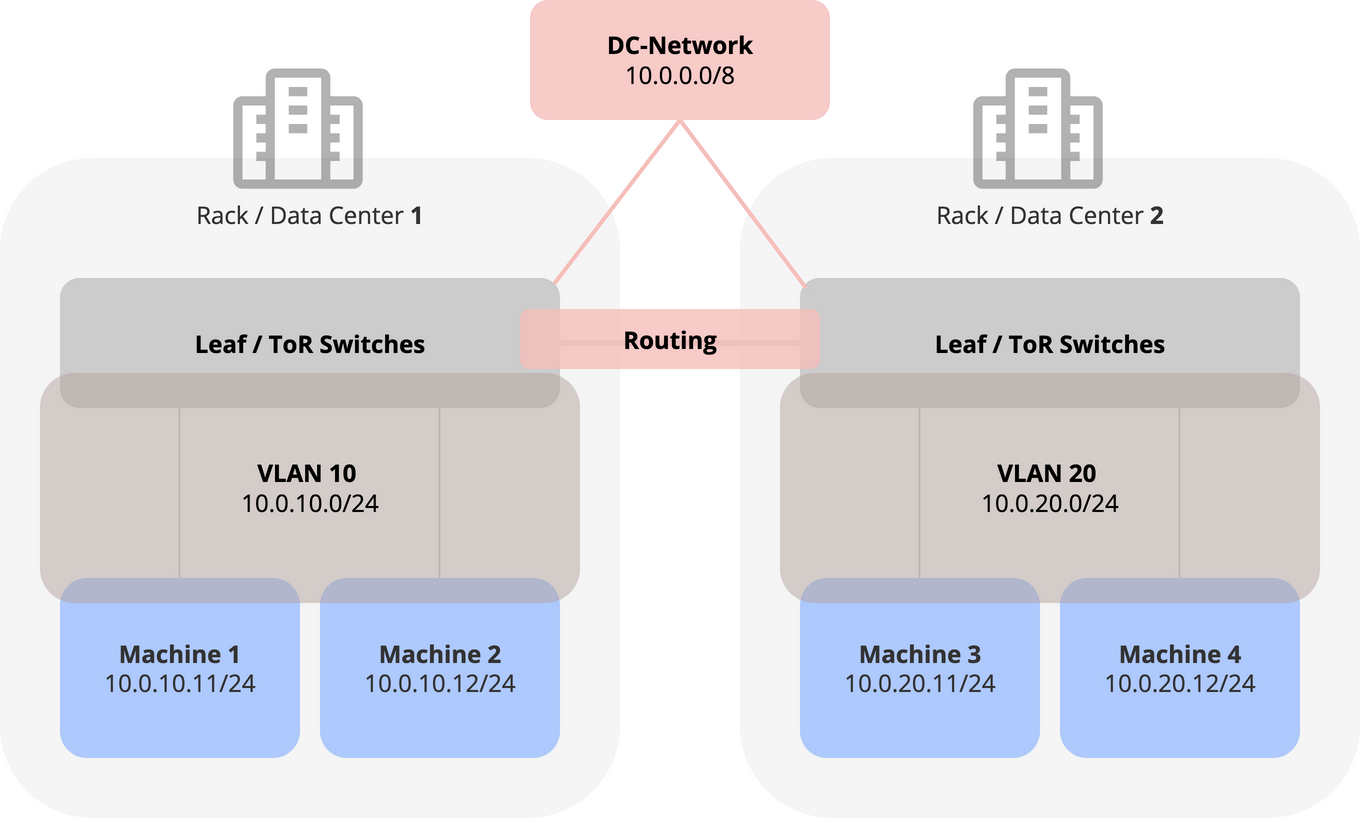
Newer data centers built for container platforms tend to be modelled the way the public clouds are: each rack or availability zone is a failure domain of its own, with its own VLAN and prefix and the fabric routes between them.
For you, this means that Machines in different racks or sites need different network configuration, and thus different Network Profiles, Networks and Subnets.
| Network | Subnet | CIDR | VLAN | Network Profile | Machines |
|---|---|---|---|---|---|
wl-prd | wl-prd-az1 | 10.0.10.0/24 | 10 | prd-az1 | machine-prd-az1 |
wl-prd | wl-prd-az2 | 10.0.20.0/24 | 20 | prd-az2 | machine-prd-az2 |
It's of course also possible to have further Networks:
Example: Workload and storage networks
| Network | Subnet | CIDR | VLAN | Network Profile | Machines |
|---|---|---|---|---|---|
workload | workload-az1 | 10.0.10.0/24 | 10 | prd-az1 | machine-prd-az1 |
workload | workload-az2 | 10.0.20.0/24 | 20 | prd-az2 | machine-prd-az2 |
storage | storage-az1 | 10.0.30.0/24 | 30 | prd-az1 | machine-prd-az1 |
storage | storage-az2 | 10.0.40.0/24 | 40 | prd-az2 | machine-prd-az2 |
Example: Production and staging networks
| Network | Subnet | CIDR | VLAN | Network Profile | Machines |
|---|---|---|---|---|---|
prd | prd-az1 | 10.0.10.0/24 | 10 | prd-az1 | machine-prd-az1 |
prd | prd-az2 | 10.0.20.0/24 | 20 | prd-az2 | machine-prd-az2 |
stg | stg-az1 | 10.0.30.0/24 | 30 | stg-az1 | machine-stg-az1 |
stg | stg-az2 | 10.0.40.0/24 | 40 | stg-az2 | machine-stg-az2 |
As Terraform: subnet per rack or zone.
Routed to the host
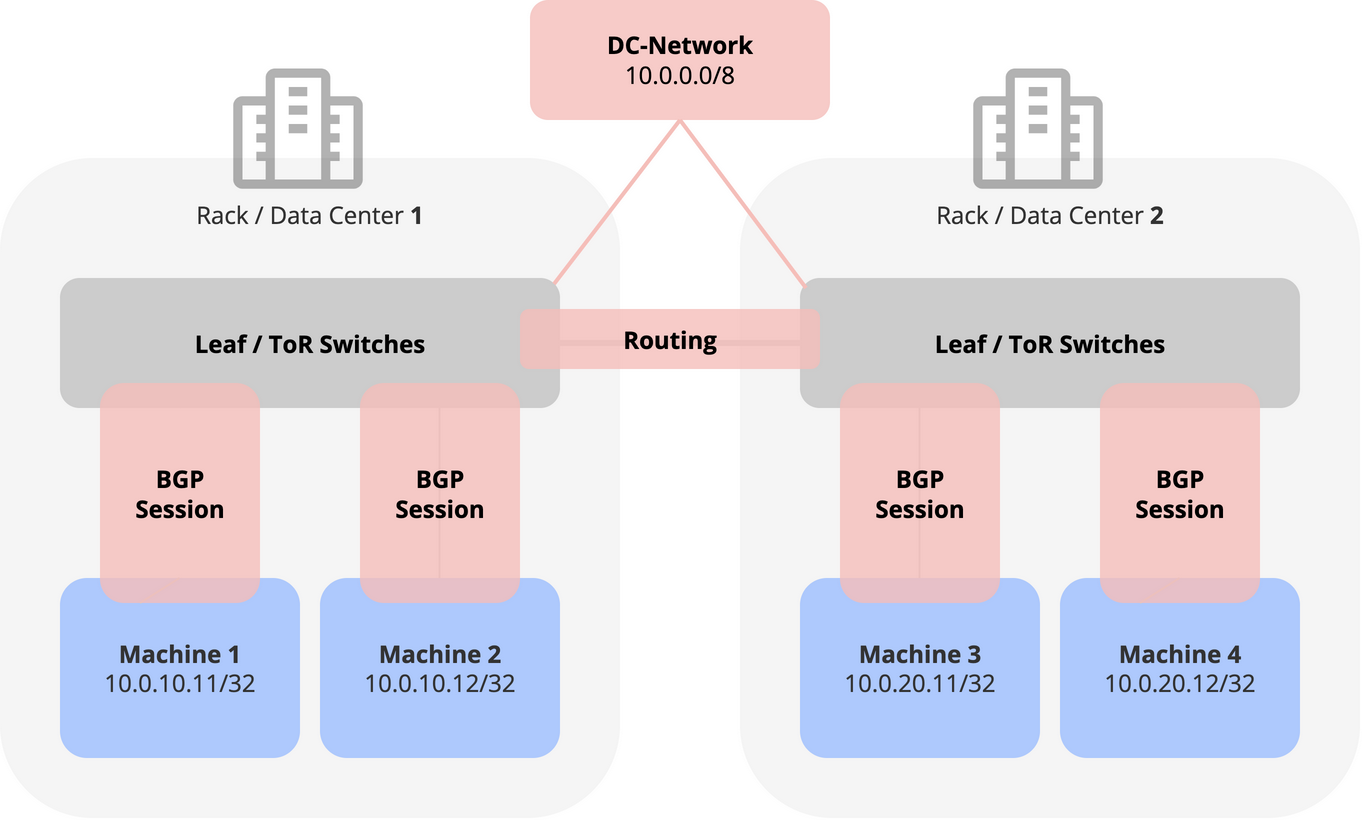
In some modern setups, routing is extended all the way down to the host: each Machine peers with its leaf switch over BGP.
WARNING
This layout is currently not supported. Reach out to us if you need it.
Next, see how a Machine gets its network configuration from a Subnet in Subnet Addressing.